Introduction to PCB Copper Pour
Understanding how to optimize your copper pour is essential for ensuring the reliability, longevity, and performance of high-power circuits. In this comprehensive guide, we’ll explore the principles of thermal dissipation on PCBs and walk you through a step-by-step process for optimizing your copper pours.
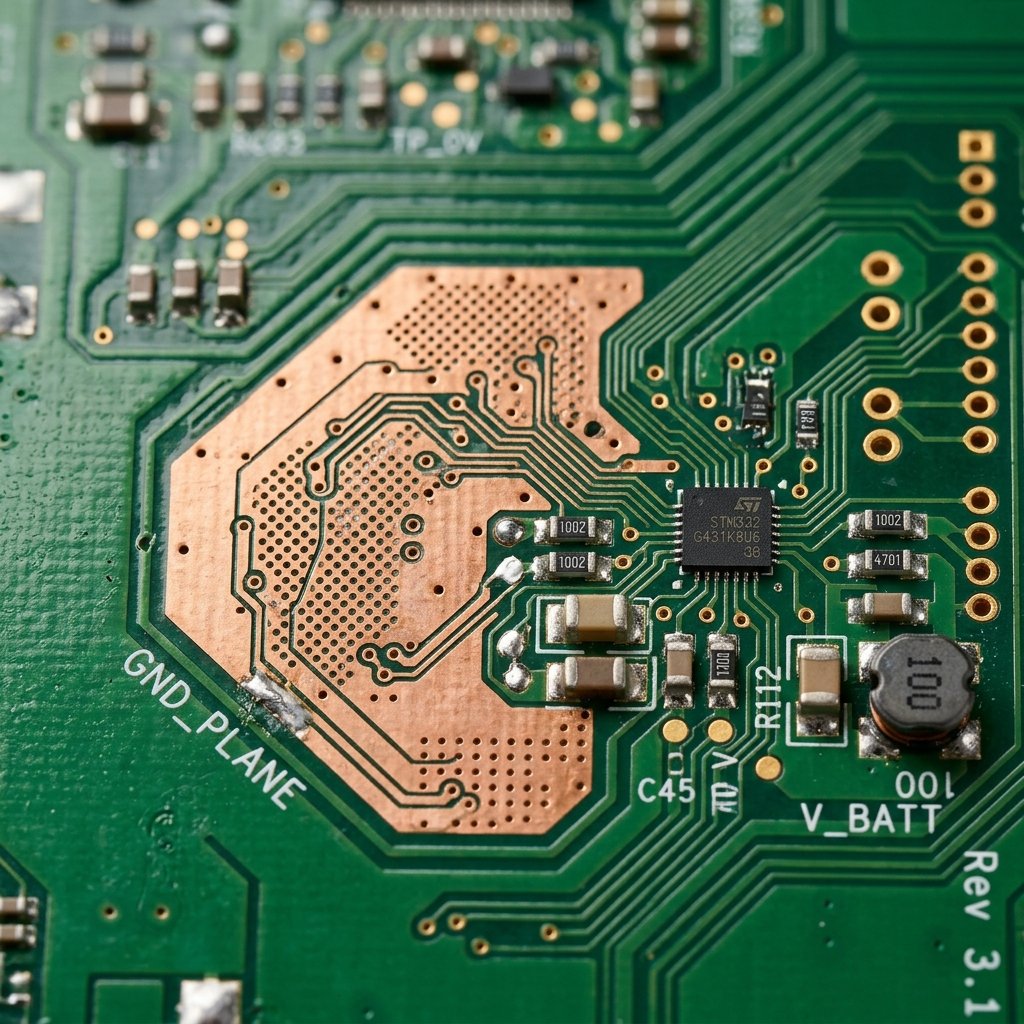
Copper is an excellent conductor of both electricity and heat. When you allocate large polygon areas to act as ground planes or thermal pads, you are essentially creating a built-in heatsink right on the surface (or internal layers) of your PCB. However, simply pouring copper haphazardly can lead to other issues, such as acid traps, unbalanced thermal profiles during soldering, or unintended EMI radiation. Therefore, a careful, methodical approach is necessary.
Step-by-Step Guide to Optimizing PCB Copper Pour
Follow these steps to effectively utilize a PCB copper pour to maximize thermal dissipation in your circuit designs.
Step 1: Identify Heat Sources and Plan Plane Areas
The first step in any thermal management strategy is identifying the primary heat-generating components on your board, such as voltage regulators, motor drivers, or high-power microcontrollers. Once these are located, plan out large, uninterrupted copper polygon areas (typically assigned to the Ground net) directly underneath and around these components. The larger the continuous copper area, the better the heat spreading capability.
Step 3: Utilize Thermal Vias for Layer-to-Layer Dissipation
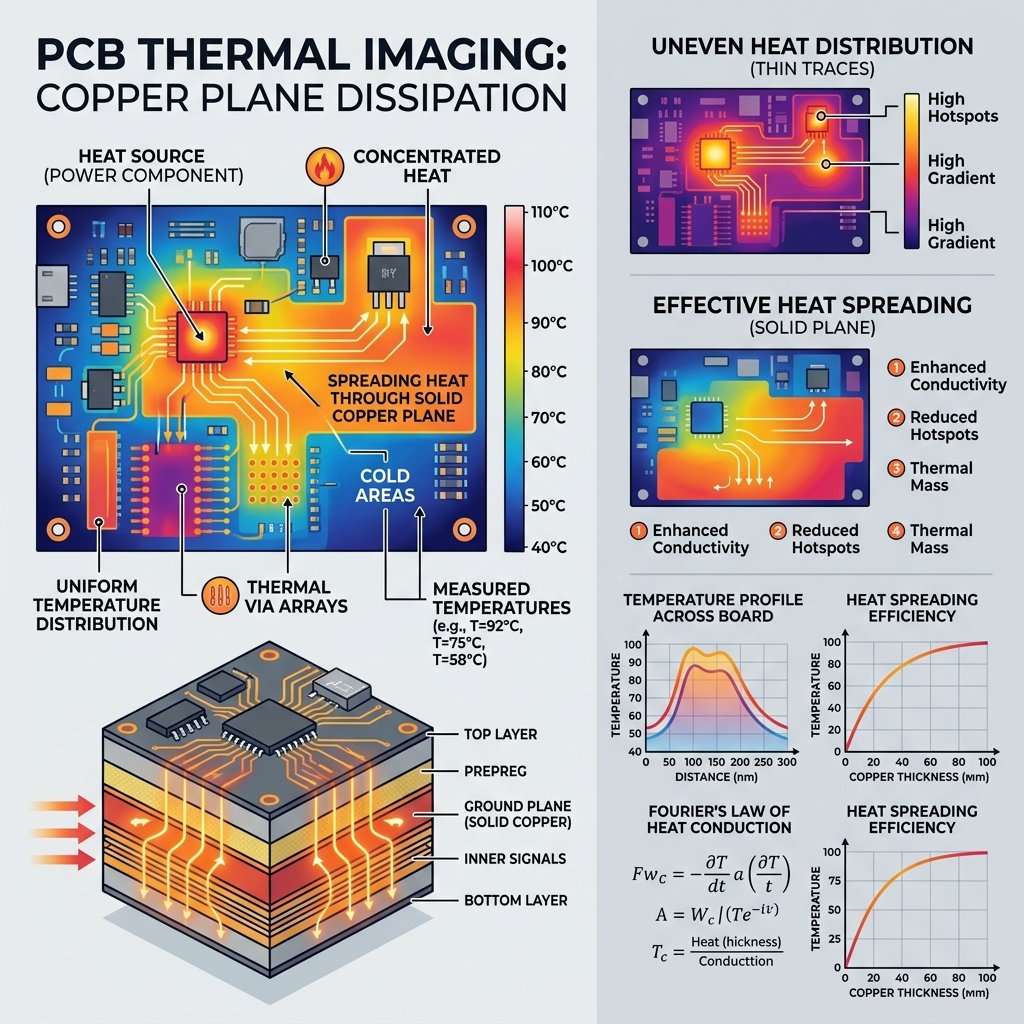
A surface copper pour can only do so much. To truly optimize thermal dissipation, you must move heat from the surface into the internal planes or to the opposite side of the board. Place arrays of thermal vias directly beneath heat-generating components. Ensure these vias are tied to internal ground planes. This significantly lowers the thermal resistance from the component package to the ambient environment.
Step 3: Configure Thermal Relief Pads Correctly
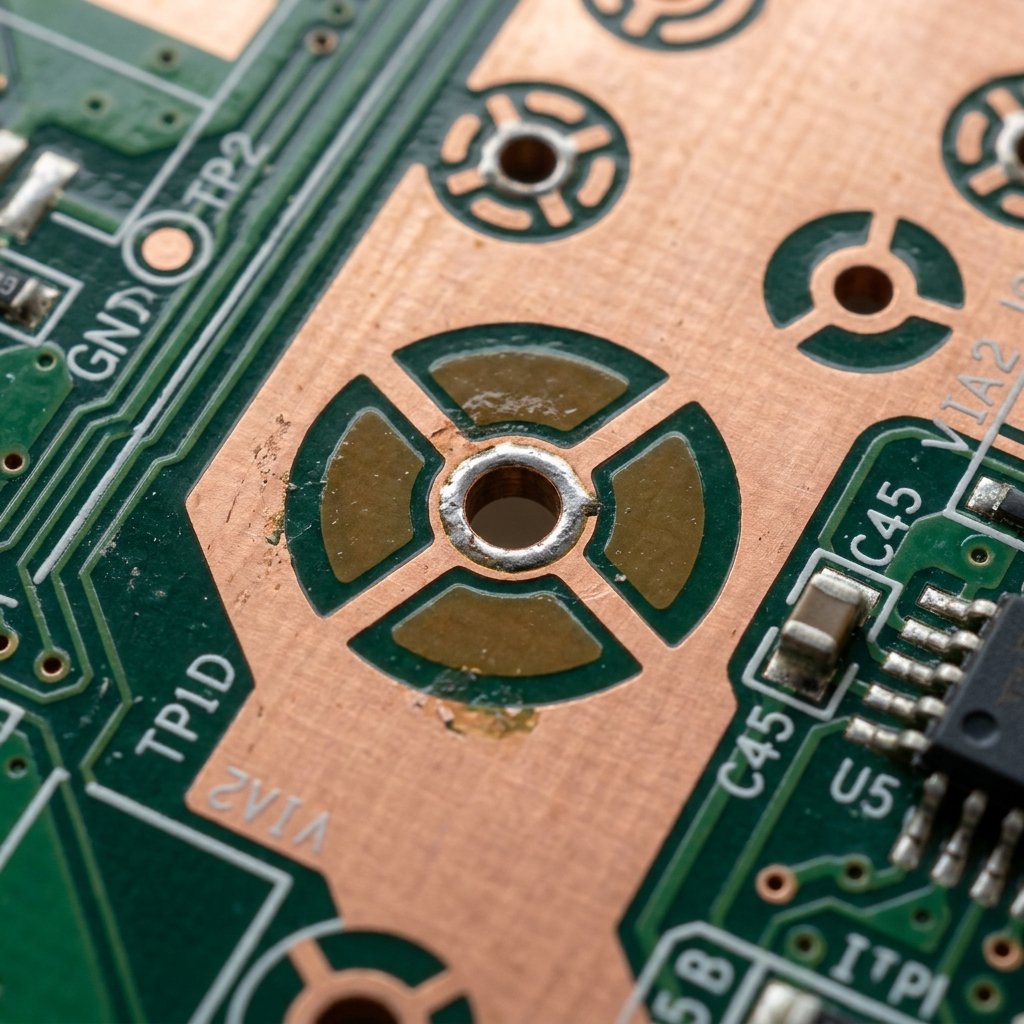
When connecting component pins (especially through-hole pins) to a large copper pour, you must balance thermal dissipation with manufacturability. If you use a solid connection, the copper pour will act as a massive heatsink during soldering, leading to cold solder joints. Use thermal relief pads (spokes) to thermally isolate the pin slightly during assembly, while still providing adequate electrical and thermal connectivity once in operation. For pure thermal pads (like an exposed pad on a QFN package), a direct, solid connection to the pour is preferred.
Step 4: Remove Unconnected Copper (Islands and Peninsulas)
After your copper pour is generated, review the layout for “dead copper”—islands or peninsulas of copper that are not electrically connected to your ground plane. These isolated areas do not contribute to thermal dissipation and can act as antennas for electromagnetic interference (EMI). Use your CAD software’s features to automatically remove unconnected copper and clean up the pour boundaries.
Step 5: Increase Copper Thickness (Heavy Copper)
If your board still runs too hot despite having expansive copper pours, consider specifying a thicker copper weight for your PCB fabrication. Standard boards use 1 oz/ft² copper, but upgrading to 2 oz/ft² or even 3 oz/ft² (often called heavy copper) dramatically increases the thermal conductivity of the planes, allowing heat to flow more freely away from hot spots.
Conclusion
Implementing an optimized PCB copper pour is a vital skill for modern electronics design. By strategically planning your planes, effectively utilizing thermal vias, balancing solderability with thermal reliefs, and keeping your pours clean of dead copper, you can significantly enhance the thermal performance of your devices. Always simulate your thermal profiles if possible, and work closely with your PCB manufacturer to ensure your design can be reliably produced.
Frequently Asked Questions
What is a PCB copper pour?
A PCB copper pour is a solid area of copper on a printed circuit board that fills in the empty spaces between traces and components. It is usually tied to a specific net, most commonly the ground net, and serves multiple purposes including thermal dissipation, improved signal integrity, and EMI shielding.
Why do thermal reliefs matter in a copper pour?
Thermal reliefs are small spokes that connect a pad to the main copper pour rather than using a solid connection. They are crucial during the soldering process because a massive solid copper plane acts as a heatsink, sucking away the heat of the soldering iron or reflow oven. This can cause cold solder joints. Thermal reliefs slow down this heat transfer during assembly while still maintaining acceptable electrical and thermal pathways during regular operation.
How do thermal vias work with copper pours?
Thermal vias are plated through-holes designed specifically to conduct heat from one layer of the PCB to another. When combined with a top-layer copper pour beneath a hot component, thermal vias transport that heat down to internal ground planes or a bottom-layer pour, drastically increasing the total surface area available for thermal dissipation into the surrounding air.
Does a thicker copper pour improve heat dissipation?
Yes, increasing the copper weight (thickness) directly decreases the thermal resistance of the trace or plane. Standard 1 oz copper might not be enough for high-power electronics, so upgrading to 2 oz or higher allows the PCB copper pour to spread heat much more efficiently, reducing localized hot spots.